

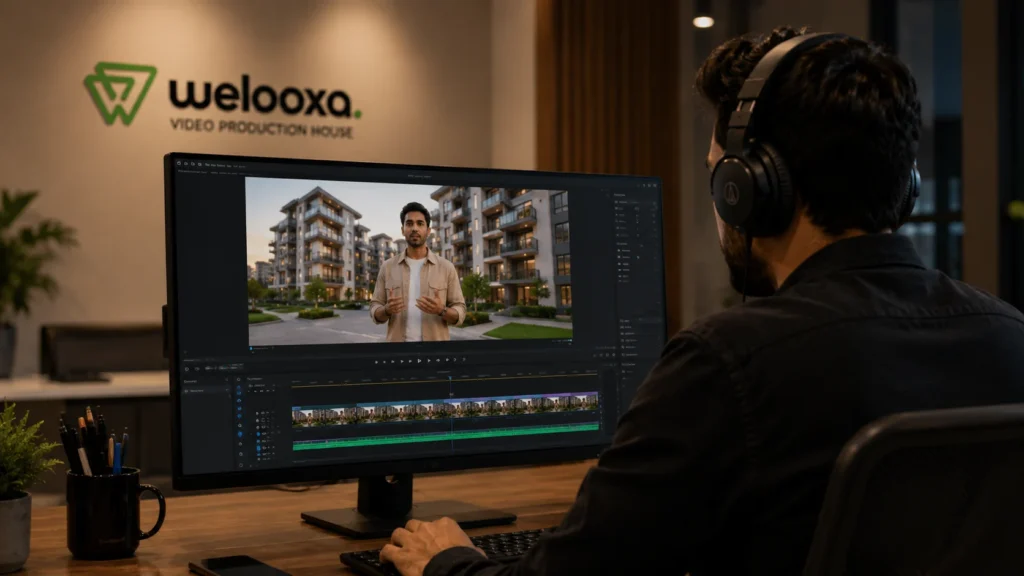
To use AI in real estate video without losing buyer trust, apply it to editing rather than generation. Cutting, colour grading, captioning, resizing, translating, and repurposing footage you actually filmed is safe and requires no disclosure. Anything AI adds or alters that a buyer would notice on site – furniture, landscaping, views, or camera movement that never happened – needs a visible on-screen label. Anything that changes how the property’s condition, size, or view reads should not be published at all.
That worry is a fair one. Buyers have become good at spotting AI, and a home is too large a purchase for a detail that feels fake to slip past. If one thing in the video looks manufactured, the buyer starts questioning everything else in the listing – the room size, the light, the condition of the kitchen. The risk was never the technology itself. It’s the gap between what the video showed and what the buyer finds when they walk in.
That gap is avoidable, and avoiding it costs you almost nothing – because nearly everything AI is genuinely useful for in property video happens during editing, where the property itself never changes. Below: the nine places AI saves real time, a shoot-once workflow that turns one visit into eight publishable assets, how and where to disclose anything AI touched, and what the 2026 rules require.
9 Practical Uses of AI in Real Estate Video Production
The real gains aren’t in generating footage. They’re in everything that happens after the camera stops – the unglamorous post-production hours that make video expensive to scale.
Editing and assembly. Feed in 40 minutes of walkthrough footage and AI-assisted editing tools will pull the usable takes and assemble a rough 60-second cut. A manual first cut takes most editors two to four hours per listing. Reviewing and refining an AI rough cut takes 20–40 minutes. That gap is the entire business case, and none of it touches what the property looks like.
Format multiplication. One 16:9 master auto-reframed to 9:16 for Reels, 1:1 for feed, and 4:5 for paid – with subject tracking so the room stays centred instead of the ceiling. Done manually this is a fresh edit per format.
Captions and translation. Burned-in subtitles matter more than agents think, because most social video is watched on mute. A second-language subtitle track opens the listing to relocating and overseas buyers at effectively zero marginal cost.
Audio cleanup. Traffic noise, HVAC hum, and wind on the exterior pass – removable in seconds. This alone is why so much phone-shot listing footage gets abandoned.
Stabilisation. Handheld phone walkthroughs smoothed to look gimbal-shot. You’re not changing the property, just how steadily it was filmed.
Colour matching across rooms. A north-facing bedroom and a west-facing kitchen shot 20 minutes apart will not match. AI normalises the temperature across the sequence so the walkthrough doesn’t strobe between warm and cold. Keep it honest – matching clips is fine, turning an overcast day into golden hour is not.
Stills extraction. Pull 20–30 portal-quality frames from 4K video instead of running a separate photo shoot.
Script and structure drafting. Feed the listing specs, get a 60-second voiceover script and chapter markers. You’ll rewrite half of it, and that’s still faster than a blank page.
Ad variant generation. Five different opening hooks from one master cut, for paid testing. This is where AI pays for itself fastest, because ad testing needs volume by definition.
Notice what’s common to all nine: not one of them changes what the buyer will find when they arrive.
The Shoot-Once AI Video Workflow: One Visit, Eight Assets
This is the model working teams are settling on. Real capture at the front, AI in the middle, honest output at the end.
Step 1 – Shoot real, once. One visit, and cover this checklist: a slow walk of the full circulation path, every room from two corners, kitchen and bathroom detail passes, the exterior and approach, the actual view from the primary window, and 30–60 seconds of ambient wide shots for B-roll. Shoot at the property’s best natural light hour rather than fixing it later – it’s cheaper than any correction.
Step 2 – Generate the outputs. From that single shoot, one property should produce roughly eight assets:
- 60-second hero cut for the listing page
- 30-second vertical reel for Instagram and YouTube Shorts
- 15-second paid ad variant (plus alternate hooks for testing)
- Room-by-room clips for enquiry follow-up emails
- Burned-in subtitle track
- Second-language subtitle version where your market needs it
- 20–30 pulled stills for the portal gallery
- A 6-second silent loop for the email header or site banner
Same shoot day, eight outputs, no second visit. That’s the economics changing – not fake footage.
Step 3 – Keep AI on interpretation, not invention. Floor-plan overlays, room-dimension callouts, neighbourhood context maps, chapter markers, auto-captions. All of it adds information rather than replacing reality.
Step 4 – Put a real human on camera. If a person appears, make it the actual agent – 30 seconds, phone-shot, slightly unpolished. It consistently outperforms a polished synthetic version because it answers the buyer’s real question: is there a competent human behind this listing? Animoto’s 2026 video research lines up here – 68% of consumers say they want real people in brand videos.
Step 5 – Archive before you publish. Per listing, keep the unedited footage, the edited versions, and the exact disclosure wording used. Takes two minutes. Saves you entirely if a question surfaces a year later.
What to Automate, What to Disclose, What to Keep Human
A simple three-way split covers almost every decision you’ll face:
| Task | Automate freely | Use, but disclose | Keep human |
| Cutting, pacing, assembly | ✅ | — | — |
| Colour correction, stabilisation, audio cleanup | ✅ | — | — |
| Captions, translation, chapters, reframing | ✅ | — | — |
| Removing a temporary object (bin, cable, parked car) | ✅ | — | — |
| Virtual staging / added furniture | — | ✅ | — |
| Camera motion generated from stills | — | ✅ | — |
| Voiceover narration of factual specs | — | ✅ | — |
| Pre-construction CGI visualisation | — | ✅ | — |
| The agent on camera | — | — | ✅ |
| Anything about condition, view, size or defects | — | — | ✅ |
The bottom row is the only genuine red line, and it’s short: never let AI change how the property’s actual condition reads. Adding landscaping, widening a room, upgrading a view, or removing a crack or a power line isn’t a labelling problem – it’s a misrepresentation, and a label doesn’t fix it.
Everything above that line is available to you.
AI Video Disclosure: Wording, Placement and Ready-to-Use Templates
Most agents skip disclosure because they don’t know how to word it without sounding like they got caught. Placement and phrasing do all the work here.
A small grey disclaimer in the final frame behaves like a confession – the buyer has already built an expectation and now learns it was manufactured. The same fact in the first five seconds reads as helpfulness: you’re telling them what they’re looking at before the wrong picture forms.
Use these directly.
Virtual staging (on-screen):
Digitally staged. Furniture shown is not included.
AI-generated camera movement:
Motion created from listing photographs. Not filmed footage.
AI voiceover:
Narration is AI-generated. All property footage is real and unedited.
MLS remarks / listing description:
Some listing media has been digitally enhanced. Virtual staging is used in [room names] to illustrate layout potential; furniture is not included. Unaltered original photography is available on request.
Instagram or YouTube caption:
Digitally staged to show the layout’s potential – the space is delivered unfurnished. Happy to send the unedited walkthrough if you’d like to see it as-is.
Pre-construction / off-plan:
Artist’s visualisation. Final construction, finishes and landscaping may vary.
Two rules govern all of them. Burn the on-screen version into the video file – a disclosure sitting in an MLS remarks field vanishes the second the reel is syndicated to a portal, Instagram, or a WhatsApp forward. And keep the language plain, because legalese reads as hiding something.
One more thing worth doing: offering the unedited version. “Happy to send the raw walkthrough” converts a disclosure from a warning into a service, and the agents doing it report it as a conversation starter rather than a deal risk.
AI Real Estate Video Disclosure Rules in 2026
Short version – disclosure of alterations, and access to originals.
California’s AB 723, effective 1 January 2026, requires digitally altered listing images to be disclosed with the unaltered original made available. Wisconsin’s Act 69 triggers whenever technology creates a false or misleading impression, regardless of technique. New York’s S9584, still pending, explicitly covers video and immersive media rather than just photos.
Elsewhere, MLS rules do the work – most now want both a written disclosure and a visible label, with reported penalties across MLSs running 500–5,000 per listing plus possible listing removal. Portals have moved in the same direction; Zillow has publicly addressed AI-generated listing photos and made transparency central to its position.
None of this restricts the nine uses in the first section. It restricts the one category you already weren’t going to touch.
AI Video vs. Drone vs. 3D Tour vs. CGI: Format Comparison
These get treated as competitors. They answer different buyer questions.
| Format | Answers | Best for | Needs a label? |
| Edited real video | “What does it feel like to walk through?” | Every listing | No |
| Drone / aerial | “What’s around it?” | Land, acreage, views, location-led listings | No |
| 3D virtual tour | “Where is everything relative to everything?” | Remote and relocating buyers | No |
| AI motion from stills | “What does it roughly look like?” | Rental stock, lower-value listings | Yes |
| CGI / visualisation | “What will it look like once built?” | Pre-construction and off-plan | Yes |
The pattern is the whole rule restated: formats built on real capture need no label. The two that generate rather than capture do. For developers marketing off-plan inventory, clearly labelled CGI is the honest tool – not photoreal AI passed off as footage of a building that doesn’t exist yet.
AI Voiceovers and Synthetic Presenters in Listing Videos
Different verdicts for the two.
AI voiceover – yes, with limits. A narrated spec rundown (square footage, room count, neighbourhood facts) carries no deception risk, and a synthetic voice reading factual information is closer to a screen reader than a fake person. Disclose it, keep it under a minute, and don’t let it claim personal experience. “I loved the morning light in this kitchen” from a synthetic voice is where it curdles.
Synthetic presenter – not yet. You’re asking a buyer to trust a person who doesn’t exist, in a transaction built entirely on trusting a person. Unnatural voice and flat emotional tone are the two AI tells consumers report most often, and a generated agent delivers both. The 30-second real phone clip beats it, costs nothing, and needs no disclosure.
Platform AI Labels and Content Credentials (C2PA)
Increasingly, yes – and it’s worth planning for.
Platforms are reading C2PA Content Credentials, cryptographic metadata that records how a file was created and edited, and applying AI labels automatically. YouTube, Meta, TikTok and several device manufacturers have all moved this way.
So a video may get labelled whether or not you disclosed it. Being labelled after the fact looks like getting caught; disclosing first looks like professionalism. Same information, opposite signal. Check what your editing stack strips or preserves on export, and keep provenance-clean masters.
Pre-Publish Checklist for AI-Assisted Listing Videos
Five questions, thirty seconds, before anything goes live:
- Does the video show anything that isn’t physically at the property today?
- Would a buyer standing in that room feel misled?
- If there’s an alteration, is the label on the video file itself?
- Do you still have the unaltered source footage?
- Does a real human appear somewhere in the buyer’s journey with this listing?
Clear all five and you can scale your video output as aggressively as you like. That’s the point – AI isn’t the risk here. Using it to describe a property that doesn’t exist is.
FAQs
1. What can AI actually do in real estate video production? The reliable wins are all in post-production: assembling a rough cut from raw walkthrough footage, auto-reframing one master into vertical and square formats, burned-in subtitles and second-language tracks, audio cleanup, stabilisation, colour matching across rooms, pulling stills for the portal gallery, and generating ad variants for testing. None of these change what the property looks like, so none require disclosure.
2. Do I have to disclose AI-generated real estate video? If the video shows virtual staging, fabricated camera movement, a synthetic presenter, or any altered visual, yes. Put it on the video itself as an on-screen caption – “Digitally staged. Furniture shown is not included” – so it survives syndication to portals, social platforms, and messaging apps. An MLS remarks field alone doesn’t travel with the file.
3. Is it legal to use AI in real estate videos? Yes, with limits. Editing, colour correction, captioning, and repurposing real footage are broadly fine. Altering anything material – furniture, landscaping, views, defects – requires disclosure at minimum, and is prohibited where it creates a false impression. California’s AB 723 and Wisconsin’s Act 69 are the clearest 2026 examples, and most MLSs add their own rules with reported penalties of 500–5,000 per listing.
4. How much does AI real estate video cost compared to a videographer? AI-assisted production typically runs a low monthly software cost with near-zero cost per additional video, versus roughly 300–1,500 per property for a professional videographer and $2,000+ in luxury markets. Most high-volume teams land on a hybrid: shoot real once, then produce eight or more formats from that single shoot.
5. What’s the safest way to use AI for property listings? Shoot the property for real, then apply AI to editing, resizing, subtitling, and repurposing. Disclose virtual staging and generated motion in the first five seconds, archive your unedited originals, and never use AI to change how the property’s condition, size or view reads.